Case study
Repareliya — Repair Shop Management Platform
A complete repair-shop platform for phones, tablets, computers and consoles, combining dynamic price estimation, quote requests, invoicing, customer document pages, realtime enquiries, repair pricing, device imports and a secure administration dashboard.
Case study by Keltoum Malouki
The project
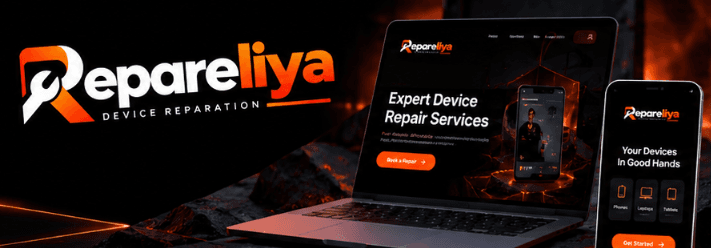
Repareliya is a complete digital platform designed for a repair business specializing in phones, tablets, computers and gaming consoles.
The product goes far beyond a standard business website.
It combines:
- a public website;
- repair price estimation;
- quote requests;
- a realtime inbox;
- quotes and invoices;
- customer document pages;
- device and repair catalogues;
- device imports;
- a complete administration dashboard.
The goal is to digitize the complete journey between the customer and the repair shop.
The challenge
Repair businesses deal with highly structured but constantly changing information:
- device categories;
- brands;
- models;
- repair types;
- part quality;
- prices;
- estimated duration;
- customer photos;
- quote status;
- invoices.
The challenge was therefore to create a simple public experience while giving the repair team a much more powerful operational system behind it.
Price estimator
The homepage includes an interactive price estimator.
Visitors progressively select:
- device type;
- brand;
- model;
- required repair.
The website then displays the prices configured for that specific model and repair.
Multiple repair qualities can be supported, such as:
- Compatible;
- Original.
Pricing can also be configured as:
- fixed price;
- starting from;
- quote required.
No default prices are invented.
Until the business enters a verified price, the public site displays “Sur devis”.
Device catalogue
The starter catalogue contains hundreds of device models covering brands and product families such as:
- Apple;
- Samsung;
- Xiaomi;
- Redmi;
- POCO;
- Google;
- Huawei;
- Honor;
- Oppo;
- OnePlus;
- PlayStation;
- Nintendo Switch;
- Xbox;
- Steam Deck.
The system connects device categories, brands, models, repair types and per-model pricing.
Device import
The dashboard includes a dedicated device-import workflow.
Apple devices can be imported from AppleDB, including product families such as iPhone, iPad, Apple Watch and MacBook.
Android models can be sourced from Google's official certified-device list.
Imported names are normalized and deduplicated before being presented to the administrator.
The shop can then choose exactly which models should be added to its own catalogue.
Quote request
Customers can submit a repair request through /devis.
They select their device and required repairs, explain the problem and can upload up to three photos.
They also choose how they prefer to be contacted:
- WhatsApp;
- phone;
- email.
The form intentionally minimizes friction.
Only the preferred contact method is required, while other customer information can remain optional.
Realtime inbox
Every website submission arrives in a dedicated dashboard inbox.
New enquiries appear in realtime using Supabase.
Each request provides the repair team with:
- customer information;
- device details;
- requested repairs;
- uploaded photos;
- preferred communication method;
- current status;
- internal notes.
Quick actions can then open:
- WhatsApp;
- phone calling;
- SMS;
- email.
Quotes
An administrator can turn an incoming request directly into a quote.
Relevant data is pre-filled from the request and catalogue, including:
- customer;
- device;
- repair services;
- configured prices.
The quote can then be sent using the customer's preferred communication method.
The dashboard opens WhatsApp with the message and quote link prepared.
SMS
The device's SMS application opens with the message ready.
When Resend is configured, the platform can send the email directly with the generated PDF attached.
Phone
For customers who prefer a call, the team can contact them and manually mark the quote as sent.
Invoicing
A quote can later be converted into an invoice.
Once an invoice is validated:
- a sequential invoice number is generated;
- its financial content becomes locked;
- it can later be marked as paid.
Validated invoices cannot simply be edited or deleted.
They can only be cancelled, protecting invoice integrity.
PDF generation
Quotes and invoices are generated as server-side PDFs.
Customers and staff can therefore download or share consistent documents without depending on browser rendering.
Customer document page
Each quote and invoice can be accessed through a private customer link.
The customer can:
- view the document;
- download the PDF;
- accept a quote;
- decline a quote.
This creates a lightweight customer portal without requiring account creation.
Accessories
Repareliya also includes an accessories section.
Products can be publicly displayed and reserved, allowing the business to extend beyond repair services.
Repair showcase
A dedicated portfolio section can display completed repairs using before-and-after imagery.
This helps provide visual proof of the shop's work.
Reviews
The platform includes review-management functionality.
Administrators can:
- moderate reviews;
- reply to reviews;
- add selected reviews from Google or Facebook.
When Google Places is configured, Google ratings and recent reviews can also be displayed.
Business settings
The dashboard centralizes shop configuration such as:
- business name;
- phone;
- WhatsApp;
- address;
- opening hours;
- currency;
- VAT;
- legal identifiers;
- banking details;
- quote terms;
- invoice terms.
This allows the application to adapt to the business without hardcoded changes.
Security
The architecture applies authorization at multiple levels.
Admin pages and server actions verify administrator access, while Supabase Row Level Security also protects the underlying data.
Public forms use protections such as:
- server-side validation;
- honeypot detection;
- minimum completion time;
- rate limiting.
Cloudflare Turnstile can provide an additional server-verified bot check.
Customer-uploaded repair photos are stored privately.
Authentication
There is no public administrator registration.
Administrative accounts are explicitly created or promoted, reducing the risk of unauthorized dashboard access.
SEO
The website includes dedicated SEO pages for brands and individual models.
Examples include:
/reparation/apple
and:
/reparation/apple/iphone-15-pro
This provides a scalable structure for targeting repair-related searches around specific devices.
CI/CD
The project includes a GitHub Actions CI/CD pipeline.
Every pull request and push to main can validate:
- linting;
- TypeScript;
- production build;
- Supabase migrations;
- database seed compatibility.
After successful checks, production deployment can apply database migrations and deploy the Next.js application to Vercel.
This keeps production releases behind automated quality gates.
Technology
- Next.js 16
- React
- TypeScript
- Supabase
- PostgreSQL
- Supabase Authentication
- Supabase Storage
- Supabase Realtime
- Vercel
- GitHub Actions
- Resend
- Cloudflare Turnstile
- Server-side PDF generation
Outcome
Repareliya turns a traditional repair-shop website into a complete operational platform.
Customers receive a simple journey for estimating repairs, submitting problems, sharing photos and approving quotes.
The shop gains one interface for managing enquiries, devices, repair prices, documents, invoices and customer communication.
The result connects customer acquisition, repair operations and invoicing in one scalable system.